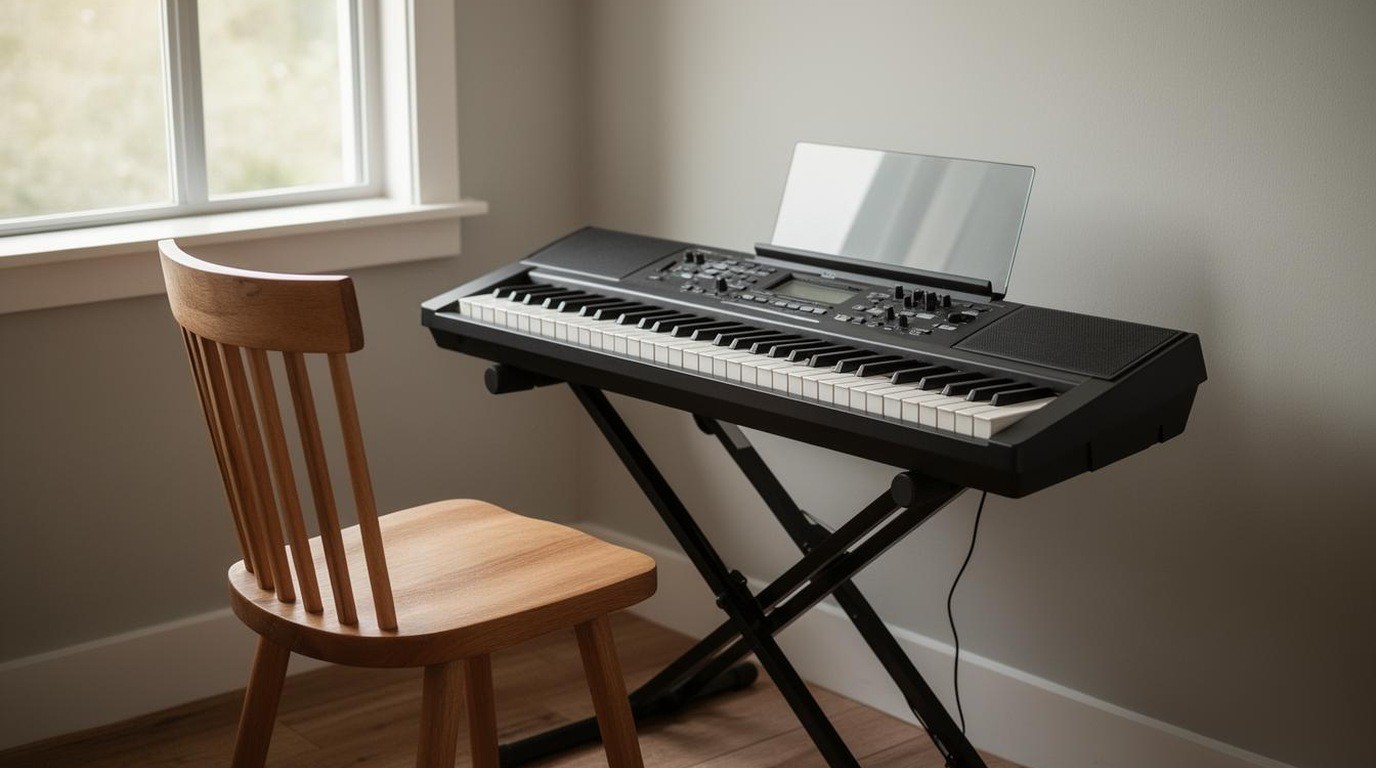
The keyboard in a showroom looks like a piano, with its keys in the familiar pattern and a bright display on the front. The question is whether it will feel like one. For a beginner, the answer depends on details that are easy to miss on the sales floor: how the keys respond to touch, how much they weigh, whether they have the hammer action of an acoustic piano and whether the speakers and the sound are good enough to enjoy practicing with.
This guide explains what key feel and weighting mean, how digital keyboards differ from digital pianos, what the speakers and the sound system contribute and what a beginner should check before buying. It does not recommend a model or a brand. Practicing for long periods can strain the hands, wrists and back, so take breaks and speak to a physician or physiotherapist if you have pain.
In brief
- Key feel matters most when you start learning.
- Weighted keys feel closer to an acoustic piano.
- Check the speakers and the headphone sound before you buy.
Keys: the feel that matters most
The keys are where a keyboard earns its price. A cheap keyboard has light, springy keys that feel nothing like a piano. A better one uses weighted keys, which are heavier on the bass end and lighter at the treble, mimicking the mechanism of an acoustic piano. Weighting helps a beginner develop the touch that carries over to a real instrument.
Look for a keyboard described as having graded hammer action or weighted hammer action. Different manufacturers use different names, and the feel differs between them. Play the keys in the shop, from the bass to the treble, and notice whether the response is even.
Digital keyboards and digital pianos
The terms overlap, but a useful distinction is this. A digital keyboard is typically lighter, has fewer keys in some models and often has a wider range of sounds and features for playing with backing tracks. A digital piano is usually built to feel and sound more like an acoustic instrument, with a full set of weighted keys, a stand and a pedal.
A beginner who wants to learn classical technique or the feel of a real piano will usually benefit from a digital piano. A beginner who wants to play songs with rhythm, accompaniments and sounds may prefer a keyboard with more features. Decide what you want to practice most, and let that guide the choice.
Number of keys
Full-size pianos have 88 keys, which cover the complete range of the instrument. Many digital keyboards have 61 or 76 keys, which are enough for most beginner music but not for pieces that move across the full range. If you plan to study classical piano, aim for 88 keys with weighted action. If you want a portable instrument for songs and chords, a smaller keyboard may be enough.
Speakers and sound
Built-in speakers vary widely. A small pair of speakers can sound thin, especially in the bass, while larger speakers and a good amplifier produce a fuller sound. Many players use headphones to practice quietly, especially in shared homes. Check that the headphone jack works well and that the sound through headphones is pleasant.
The sound engine matters too. Sampled pianos try to reproduce the complex tones of an acoustic piano, and the quality varies between models. Play a few notes in the shop and listen to the decay, the way the sound fades after you release a key. A realistic decay is one of the signs of a good instrument.
Pedals and stands
A sustain pedal lets the notes continue after you lift your fingers, which is essential for much piano music. Many digital pianos include a pedal, but some keyboards do not, and a pedal may need to be bought separately. Check the pedal’s connection and how it feels.
A stable stand or cabinet keeps the instrument at the right height. Sitting at the correct height supports good posture, and an unstable stand can be frustrating. If you plan to practice for long sessions, check that the bench is comfortable and adjustable.
Setup and placement
Place the keyboard in a room where you can practice regularly. Keep it away from direct sun, heaters and damp. Use the manufacturer’s power supply and avoid unapproved adapters. If the keyboard needs to be moved often, a lighter model with a folding stand may suit you better. We do not give installation instructions for electrical equipment.
Practice habits and posture
Sit upright with your feet on the floor, your shoulders relaxed and your wrists in line with your forearms. Avoid hunching or locking your wrists. Take short breaks during practice. If you notice pain, numbness or tingling in your hands, wrists or arms, stop and speak to a physician or physiotherapist before continuing.
Questions to ask before buying
- How does the keyboard feel, and does it have weighted or graded hammer action?
- How many keys does it have, and does that suit my plans?
- How good are the speakers, and how does the headphone sound?
- Is the sustain pedal included, and is a stand included?
- What is the return or exchange policy after a trial period?
Headphone practice
Headphones let you practice at any hour without disturbing others, and they reveal details of tone and timing that speakers can hide. Use a comfortable pair, and check that the volume can be controlled easily. Some players alternate between headphones and speakers, which helps them hear both the detail and the full sound. Keep the volume at a moderate level to protect your hearing over long sessions.
The short version
For a beginner, key feel is the most important factor. Look for weighted or graded hammer action, check the number of keys against your goals, test the sound and the decay of the notes and make sure the pedal and stand are included or affordable. Choose a digital piano for a piano feel and a keyboard for songs and features. Sit with good posture and take breaks, and see a physician if your hands or wrists hurt.
Keyboard mistakes for beginners
- Choosing a keyboard by the number of sounds.
- Ignoring the sustain pedal and the stand.
- Practicing with the volume too low to hear the decay.
- Sitting with poor posture because the stand is too low.